
How to make wordwrap work in Zend Studio 13
1. go to : help -> Install new software
2. Click add
3. Add this url : http://dev.cdhq.de/eclipse/updatesite/kepler/
More brief instructions can be found at : http://dev.cdhq.de/eclipse/updatesite/kepler/
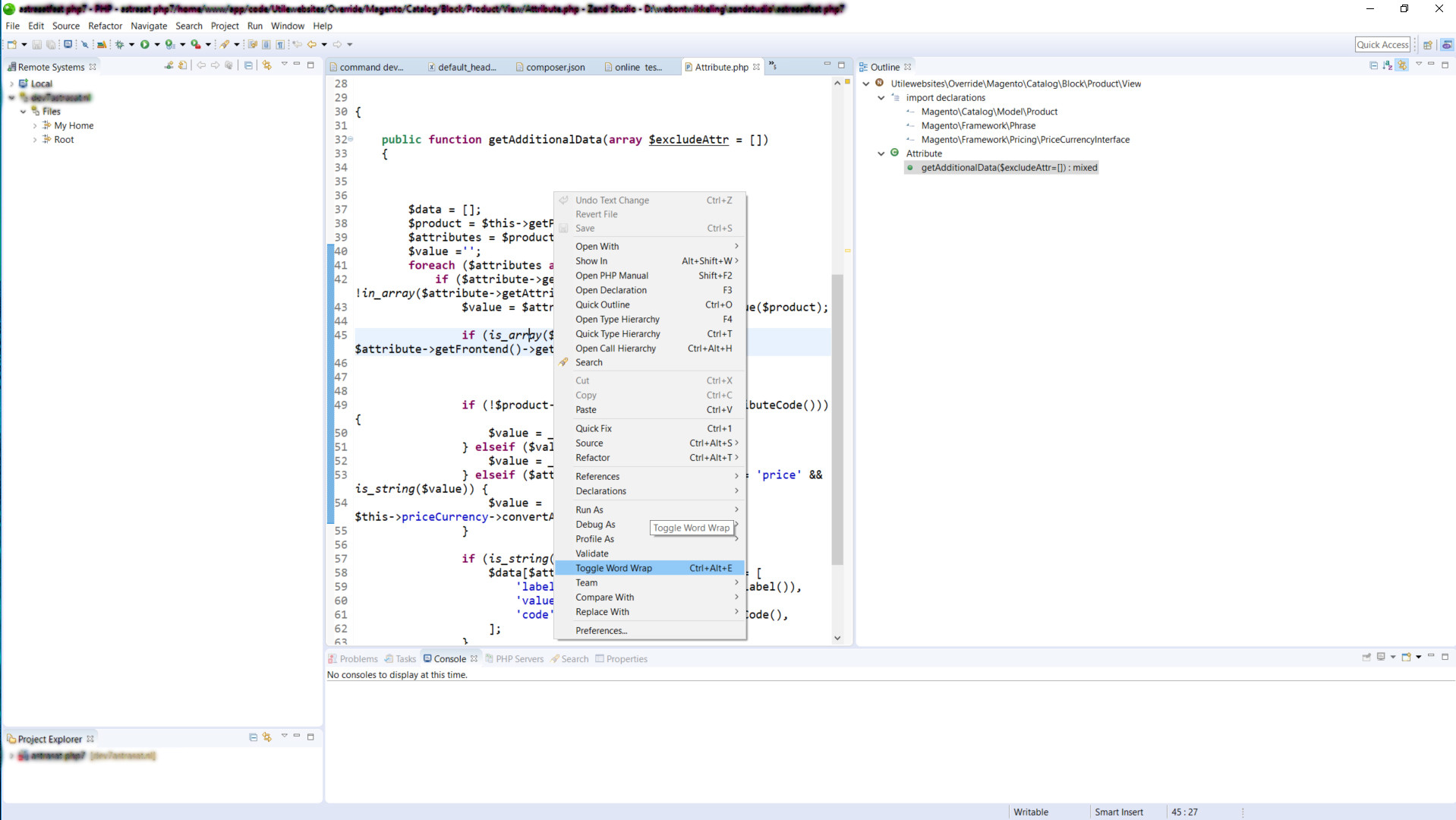
If everything is installed correctly you will see the following and you can switch between wordwrap on/off
Related Articles
 Powerful Render Server Cooling in a Compact Case: Airflow Optimization with Targeted Intake and Top Exhaust
  Overview Map: Open-Source AI Video & Image Models (January 2026)
  Discover ComfyUI: the modular visual AI engine for creative workflows
  Secure Headless Architecture with Ionic Vue and a PHP JWT API
  Run a Large Language Model (LLM) locally with Ollama